LAN Topology
LAN Topology features relies on LLDP data provided by switches.
You can check it right on the switch if hyou have enabled LLDP:
You can check it right on the switch if hyou have enabled LLDP:
core-sw1# show lldp
  % LLDP is not enabled

# you can enable it like this
core-sw1# configure terminal
 Enter configuration commands, one per line.  End with CNTL/Z.
core-sw1(config)#lldp run

# check LLDP again
core-sw1# show lldp
 Global LLDP Information:
    Status: ACTIVE
    LLDP advertisements are sent every 30 seconds
    LLDP hold time advertised is 120 seconds
    LLDP interface reinitialisation delay is 2 seconds
Or test LLDP values via SNMP from any host:
snmpwalk -v2c -c public <YOUR_DEVICE> 1.0.8802.1.1.2Change community string from public to suit your needs. Does it display LLDP data?
CDP extends the topology already gathered via LLDP with additional Cisco-specific details not available in the standard LLDP MIB.
Switch setup:
Check CDP status (Verify directly on the switch)
Switch setup:
Check CDP status (Verify directly on the switch)
Switch# show cdp
Switch# show cdp neighbors
CLI check via snmp commands
snmpget -v2c -cResult:1.3.6.1.4.1.9.9.23.1.3.1.0
- INTEGER: 1 → CDP is enabled
- INTEGER: 2 → CDP is disabled
Switch# configure terminal
Switch(config)# cdp run
XorMon preseting LAN Topology of interconnected switches (via LLDP & CDP) and attached devices to all switches (via MAC).
It works in 2 modes (both on L2):
LLDP/CDP table:
MAC:
It works in 2 modes (both on L2):
- Switch - Switch: using LLDP and CDP protocols.
- Switch - Host:
- Using MAC adresses
- Using MAC adresses via Cisco ACI (it will come in near future)
Video
Examples
LLDP/CDP: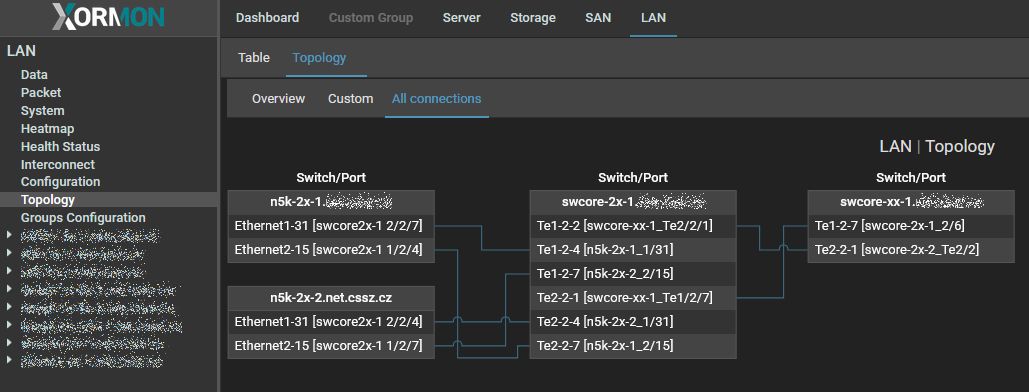 |
LLDP/CDP table:
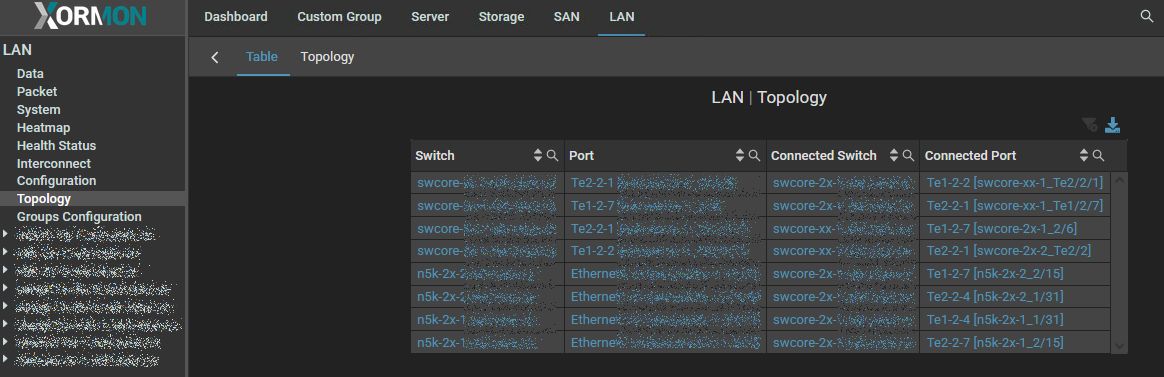 |
MAC:
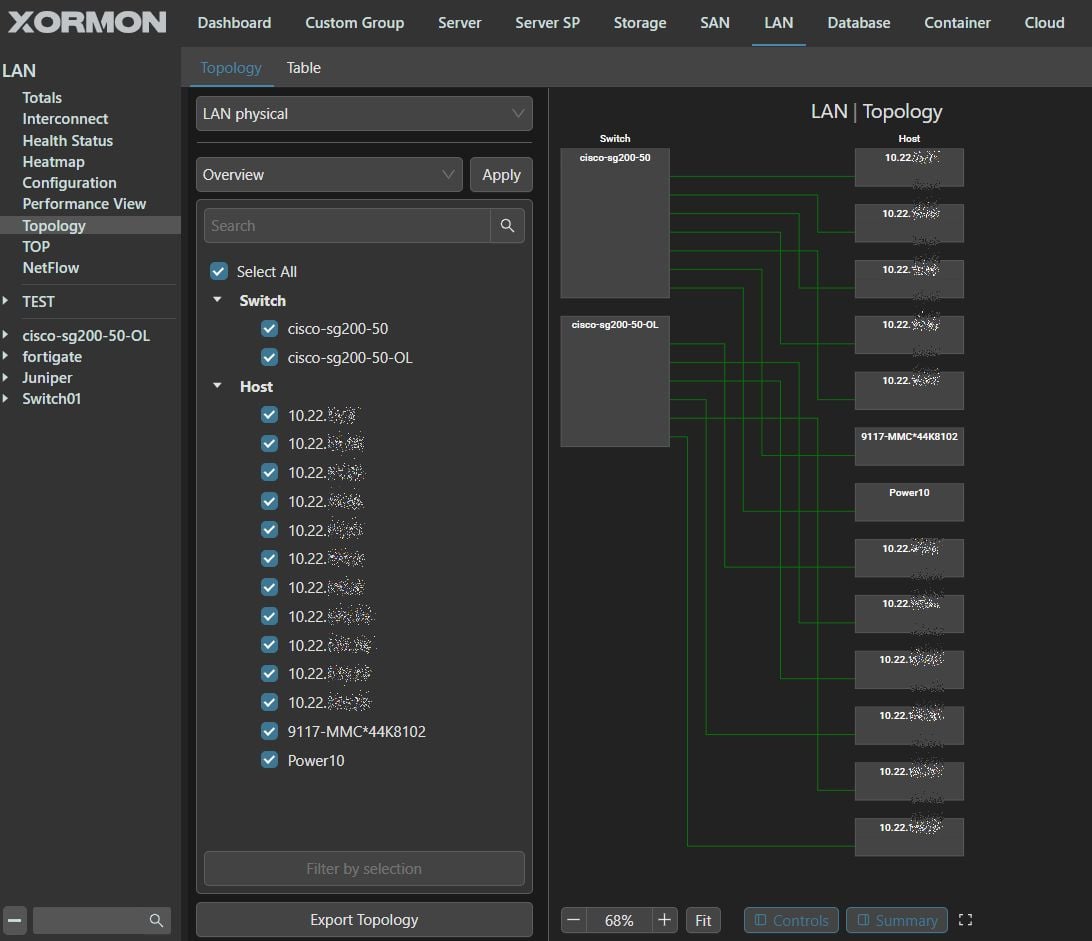 |