Proxmox Topology
Last updated:
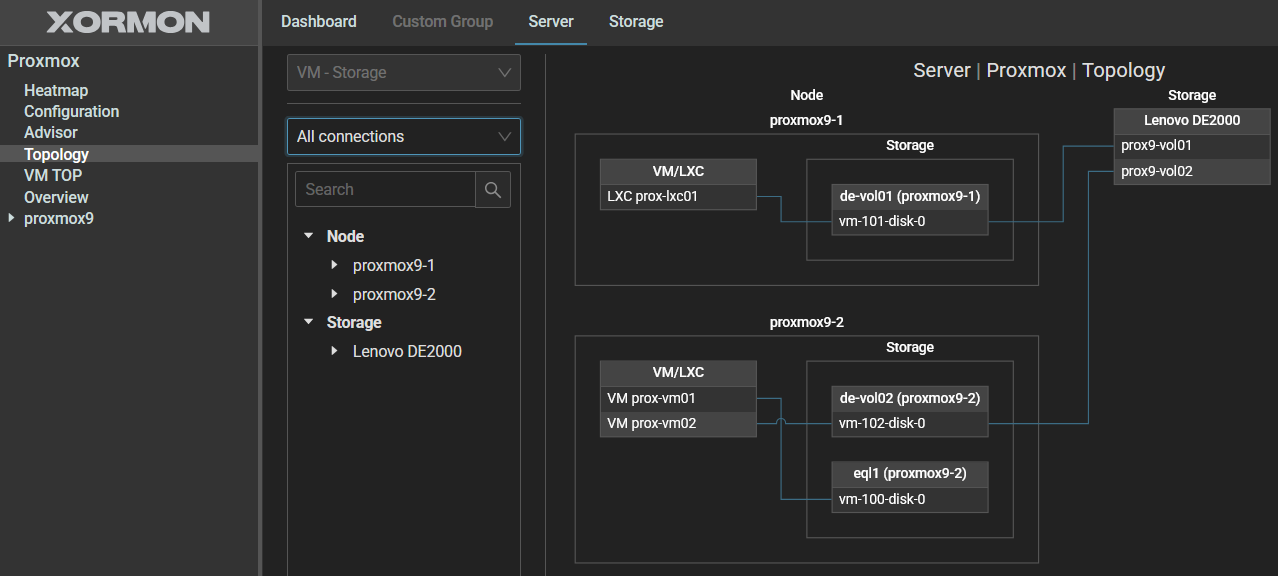
The Topology tool provides a graphical representation of logical connections between Virtual Machines, Storage containers and Storage pools.You can find Topology at:
- UI → Server → Proxmox → Topology
- Overview: high level view of parent components
- All connections: detailed view of all VM connections
- Custom: limited veiw for selected components
- Drag to move the topology map
- Scroll to zoom in/out
- Click on a parent component to highlight all connections originating from that component
- Click on a specific VM to highlight the path to Datastore and Storage volume
Video
Examples
 |