Rubrik monitoring
Note: From the CDM version 9.2 API user/pass logins no longer return token by default so it is necessary to switch to token authorization which can be set to 1 year expiration.
Storage connectivity
- Allow access from the XorMon host to one of Rubrik’s nodes on port 443
- Create a new user for XorMon with the ReadOnlyAdminRole role
- Login to Rubrik CDM UI
- Go to Settings ➡ Access management section ➡ Users
- Add Local User and assign “ReadOnlyAdminRole”
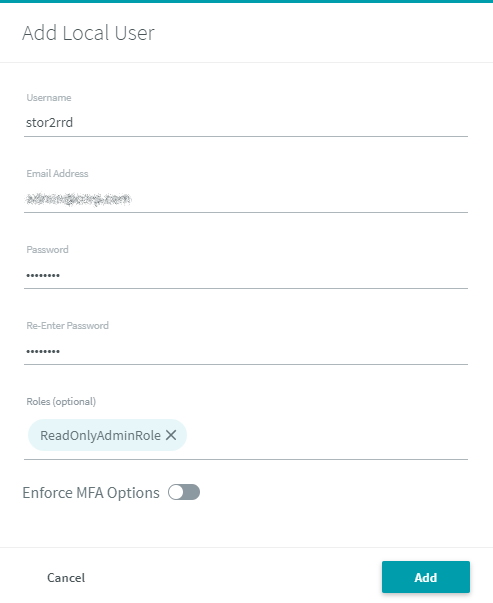
(example uses 'stor2rrd' user but use 'xormon' preferably)
- As an option you can use token based authorization: Rubrik UI ➡ Username ➡ API Token manager
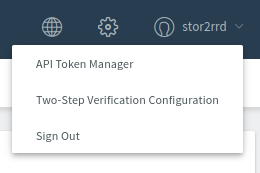
- Login to Rubrik CDM UI
- Add storage into configuration from the UI:
Settings icon ➡ Device ➡ Storage ➡ New ➡ Vendor:device ➡ Rubrik : Rubrik CDM
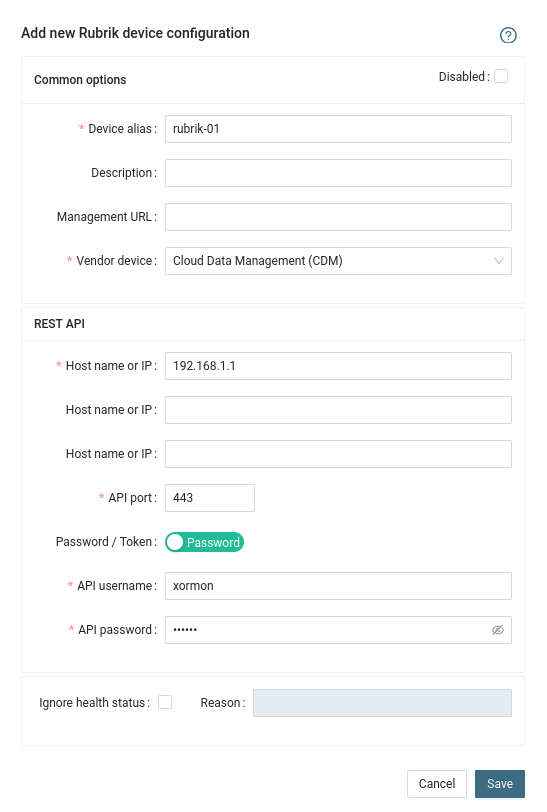
- Run "Test" for configured storage device, it must show "OK"
-
Wait about 1 hour, then reload the web browser, you should see it in XorMon UI
XorMon storage configuration
Last updated: