Huawei FusionCompute
Prerequisites
- Allow access from the XorMon host to FusionCompute management host on port 7443 (HTTPS)
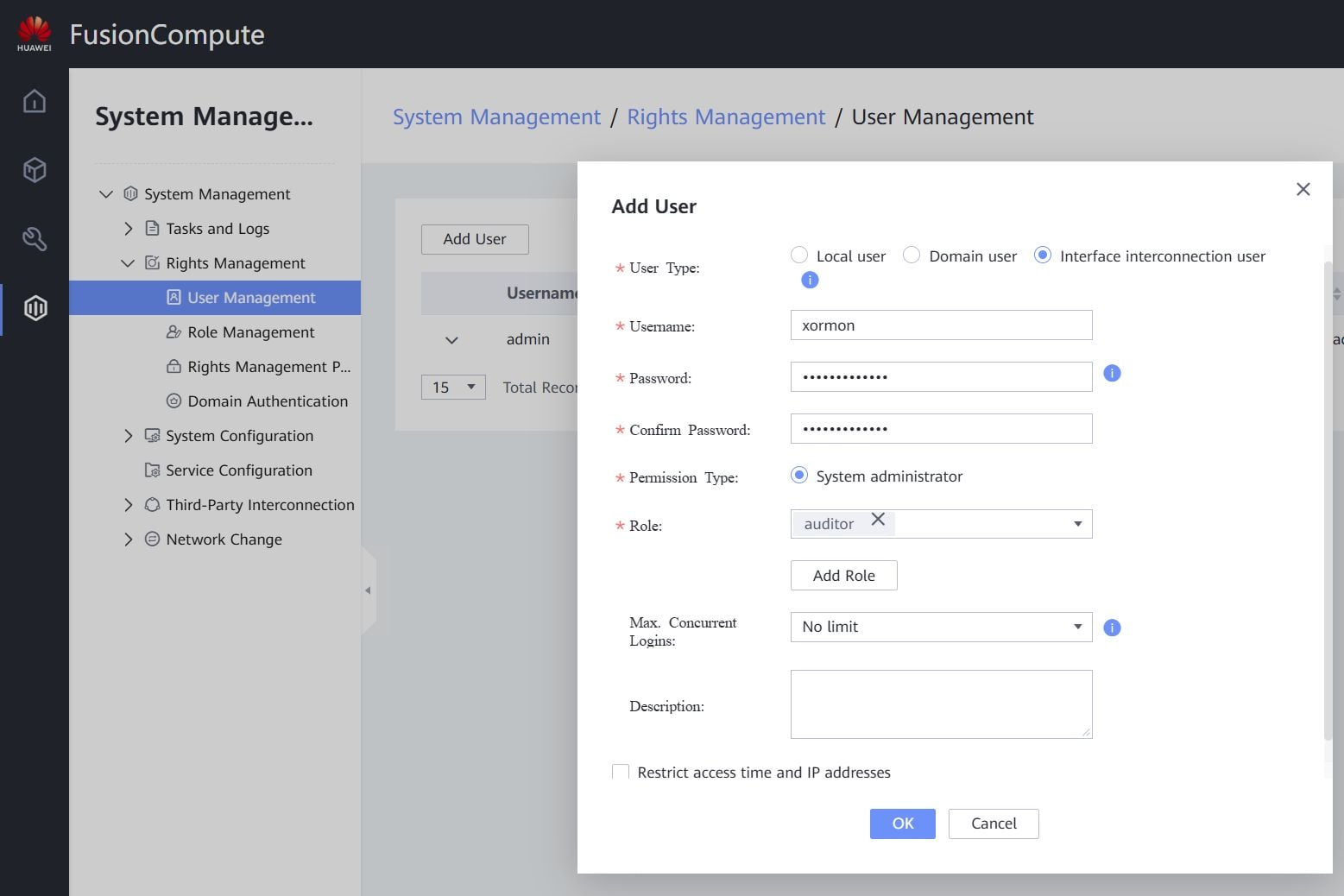
- Create a xormon user with "Interface Interconnection user" role
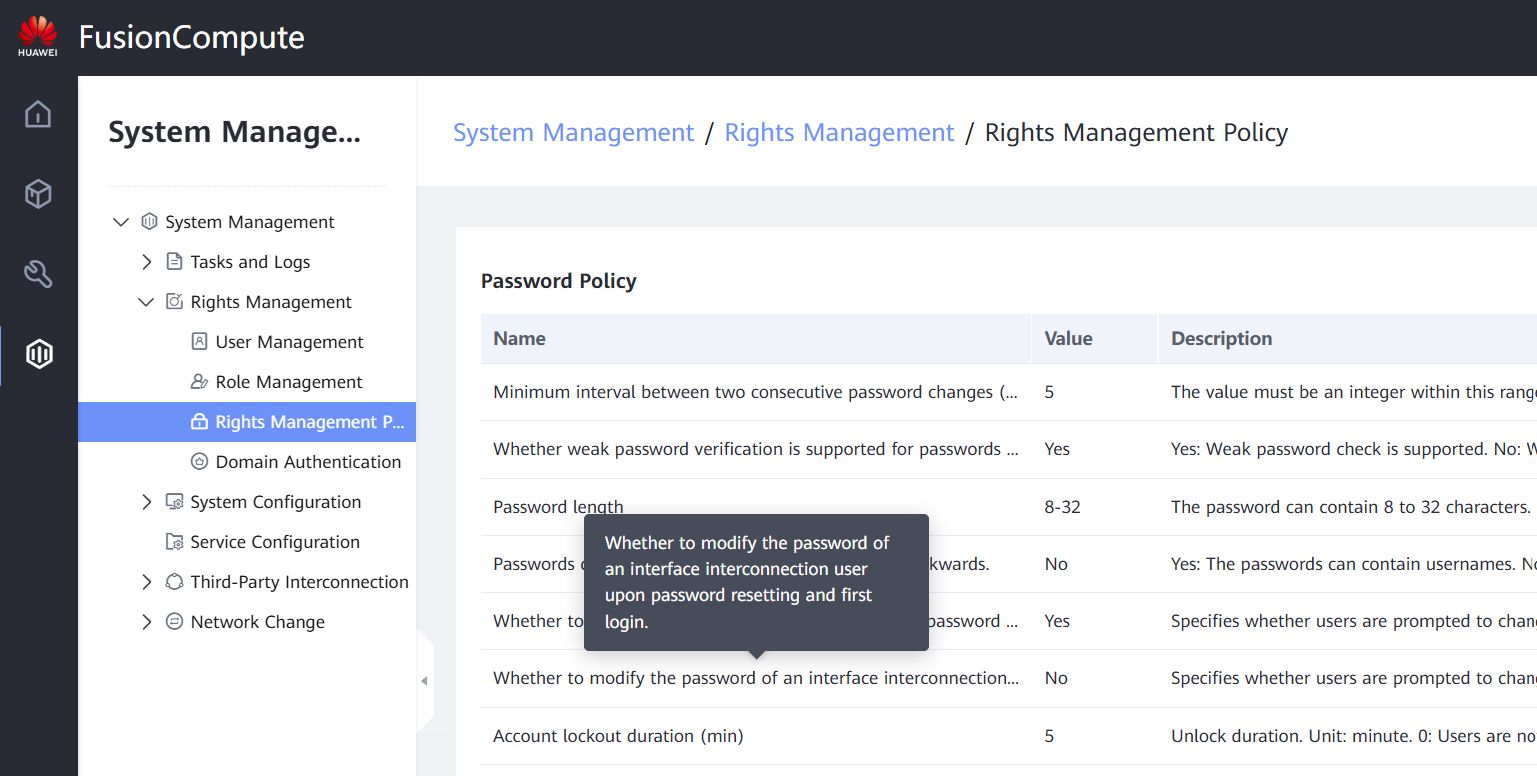
- Disable password aging in Rights Management Policy :
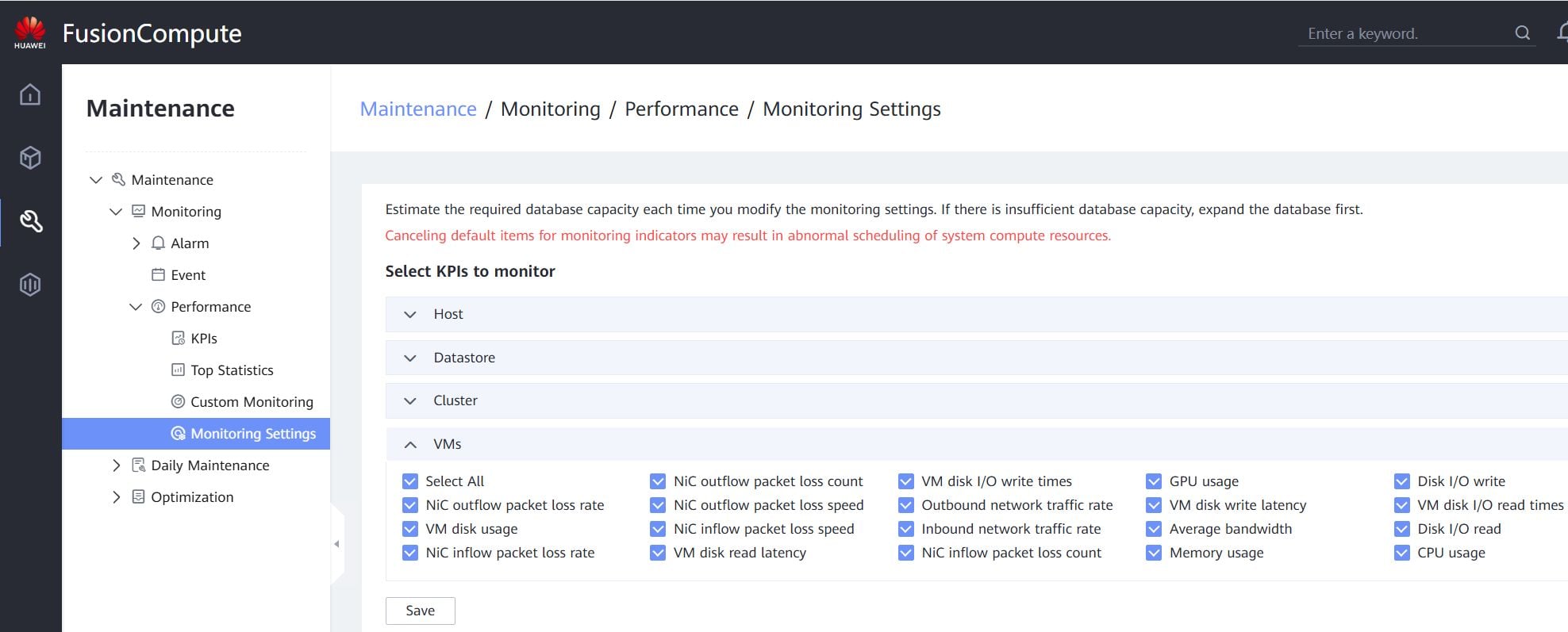
- Select metrics for Host, Datastore, Cluster and VMs in monitoring settings:
XorMon device configuration
- Add device into configuration from the UI:
Settings icon ➡ Device ➡ Server ➡ Huawei FusionCompute ➡ New ➡
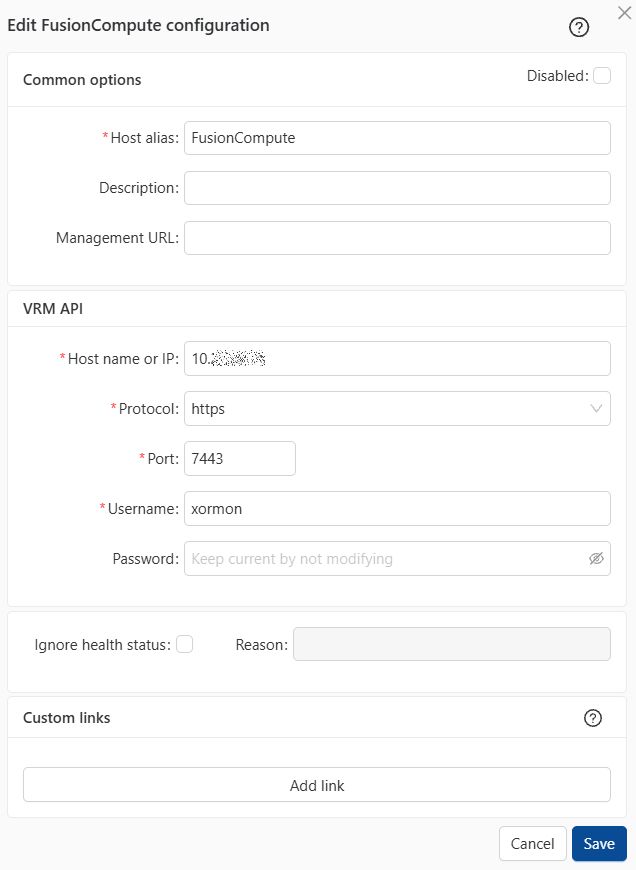
- Run "Test" for configured device, it must show "OK"
-
Wait about 1 hour, then reload the web browser, you should see it in XorMon UI
Last updated: