XenServer / Citrix / XCP-ng
You must attach all hosts.
XenServer host connectivity
-
Allow access from the XorMon host to all XenServer hosts port 443 (HTTPS)
Users access
Create user account on each XenServer host.The user account on your XenServer host must be allowed to read data from commands such as
xe …-data-source-queryThe account should be assigned at least the Pool Admin role in XenServer's Role Based Access Control (RBAC).
- In case using external authorization via AD, you can use read-only role.
- If you are using XenServer Free edition or do not have RBAC configured, only
rootuser has necessary privileges.
XorMon configuration
- Add device into configuration from the UI:
Settings icon ➡ Device ➡ Seerver ➡ XenServer New ➡
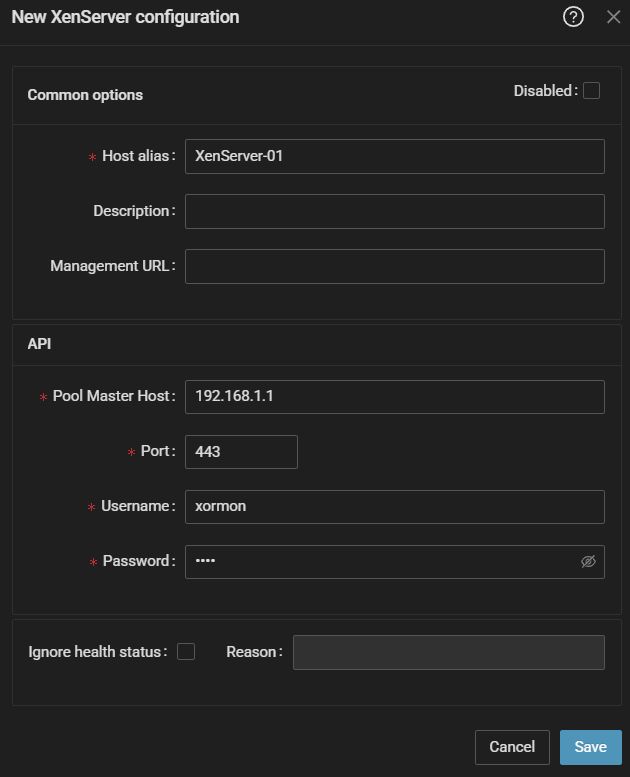
- Run "Test" for configured device, it must show "OK"
-
Wait about 1 hour, then reload the web browser, you should see it in XorMon UI