Cloudian HyperStore Monitoring
Prerequisites
- Download and install Cloudian HyperIQ as per Cloudian instructions
- Enable network between XorMon and Cloudian HyperIQ machine, port 3443 TCP
- User 'cloudian_admin' on Cloudian HyperIQ is used, there is no any other available user, it is not the user on the Cloudian HyperStore itself
XorMon storage configuration
-
Add storage into configuration from the UI:
XorMon UI ➡ Settings icon ➡ Device ➡ Storage ➡ New ➡ Vendor:device ➡ Cloudian ➡ HyperStore
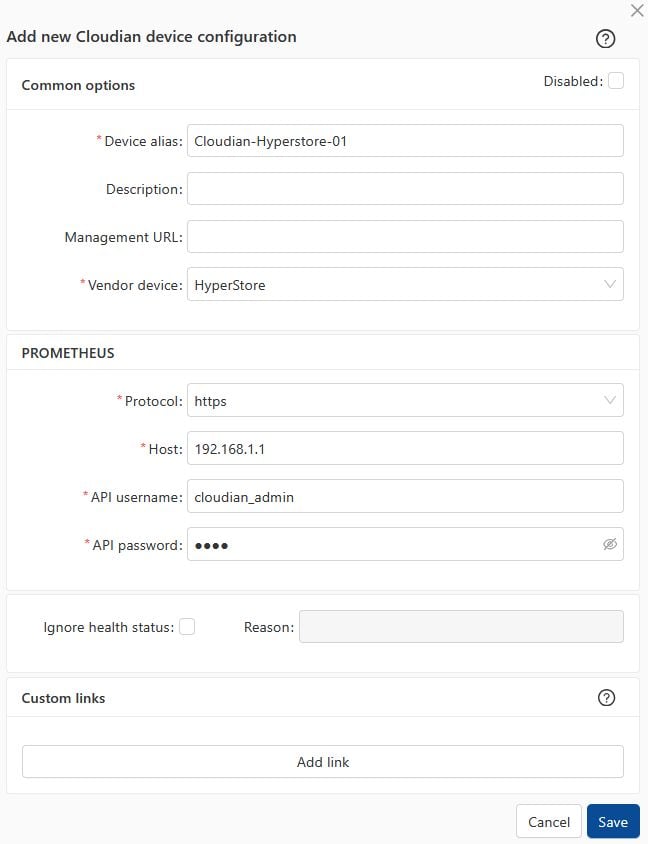
- Run "Test" for configured storage device, it must show "OK"
-
Wait about 1 hour, then reload the web browser, you should see it in XorMon UI