Proxmox
- Allow access from the XorMon host to Proxmox on port 8006 (TCP).
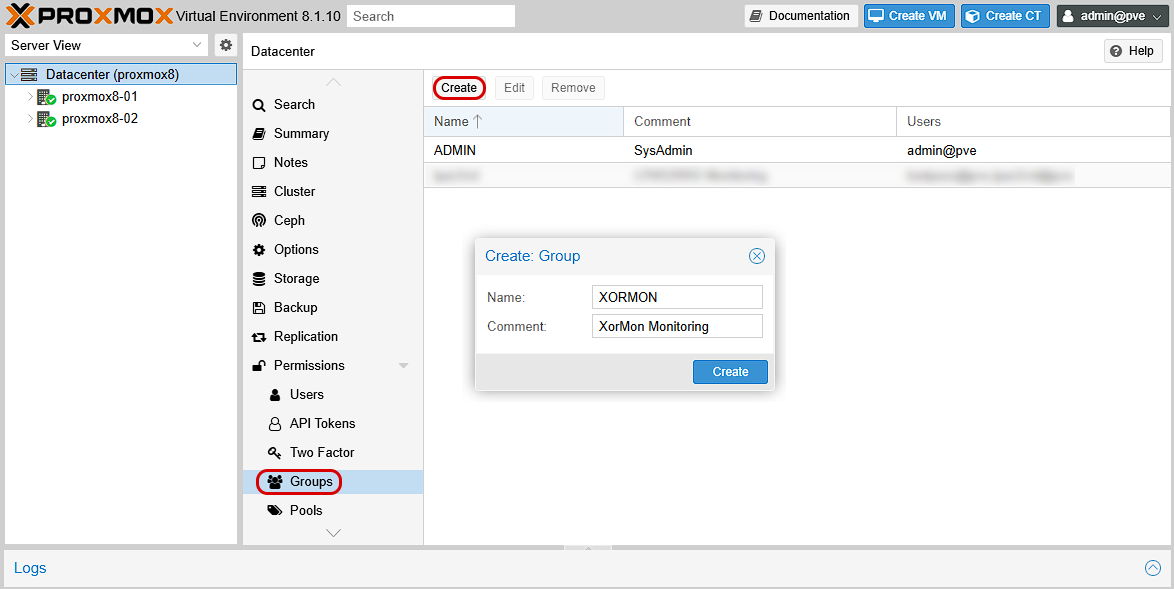
- Create new user group
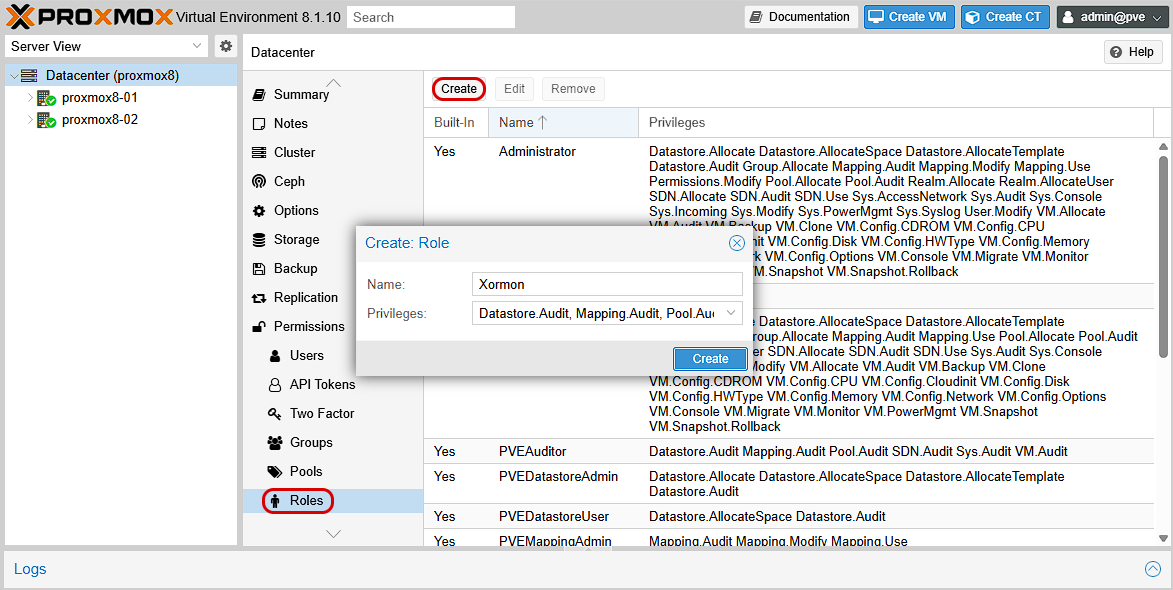
- Create new custom role with following privileges:
Datastore.Audit, Mapping.Audit, Pool.Audit, SDN.Audit, Sys.Audit, VM.Audit, VM.Monitor
Note:
- Proxmox 9 has dropped the VM.Monitor privilege. It is no longer required. Please ignore the warning during connection test.
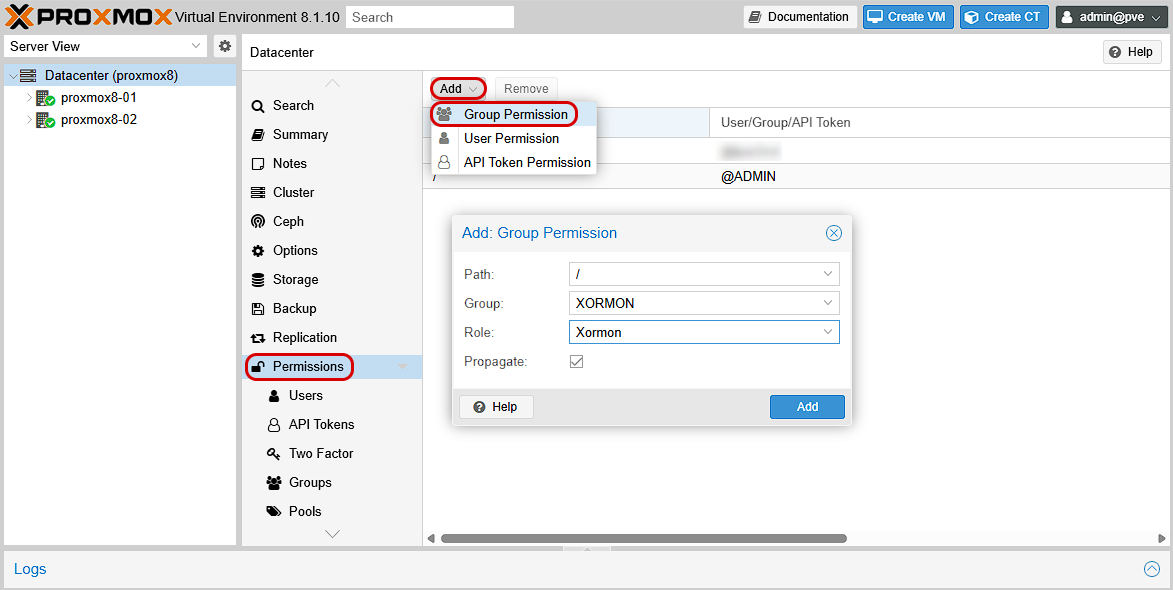
- Assign new permissons
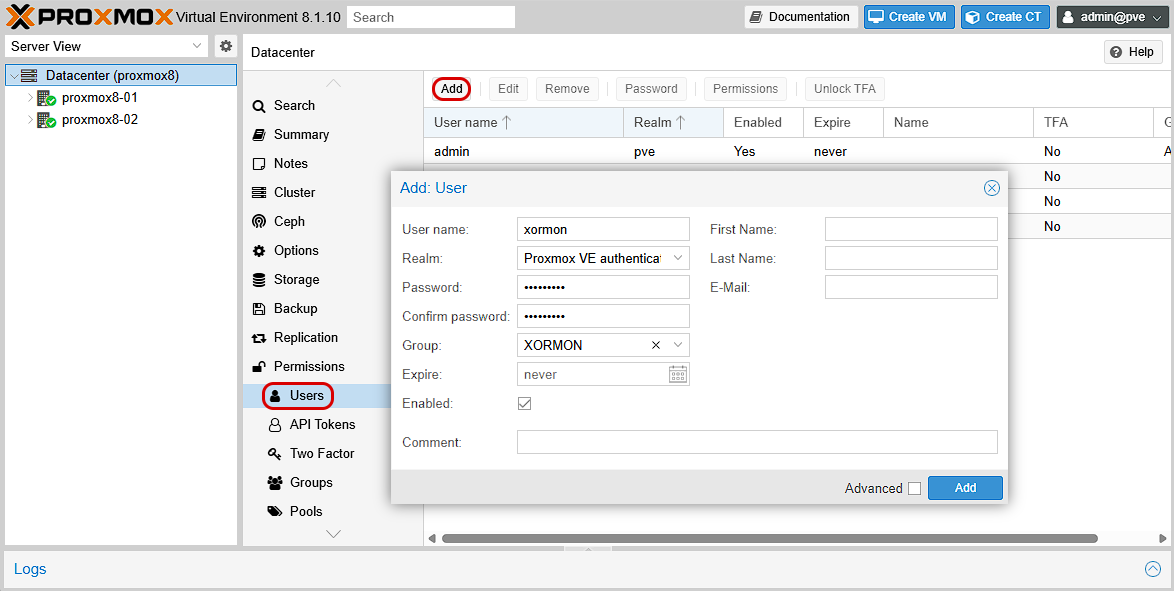
- Create new user in the monitoring group
- Add Proxmox to XorMon
XorMon UI ➡ Settings icon ➡ Device ➡ Server Virtualization ➡ Proxmox ➡ New

- Run "Test" for configured Proxmox host, it must show "OK"
Note:
- Proxmox 9 has dropped the VM.Monitor privilege. It is no longer required. Please ignore the warning during connection test.
- Wait about 1 hour, then refresh the web browser cache by Ctrl-F5
Dernière mise à jour :