Nutanix
There are 2 options how to get data, both provide same data set:
- Prism Central
- Prism Element
- Allow access from the XorMon host to all Prism Element/Central hosts port 9440 (HTTPS)
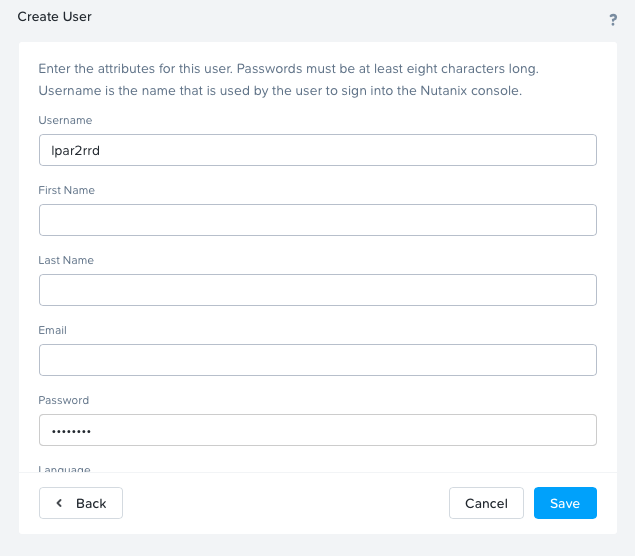
- Create a user
- Prism Element
Create a user (preferably xormon) without any role.
System will assign 'View' role by default.
- Prism Central
Create a user (preferably xormon) and assign the 'Prism Viewer' role to them using Authorization Policies.
Use Full access in the Scope Definition
Automatically grant access to new entity types that are added to this role in the future.

- Prism Element
- Attach Prism Element/Central hosts
XorMon UI ➡ Settings icon ➡ Device ➡ Server Virtualization ➡ Nutanix ➡ New ➡ Select Prism Central or Prism Element
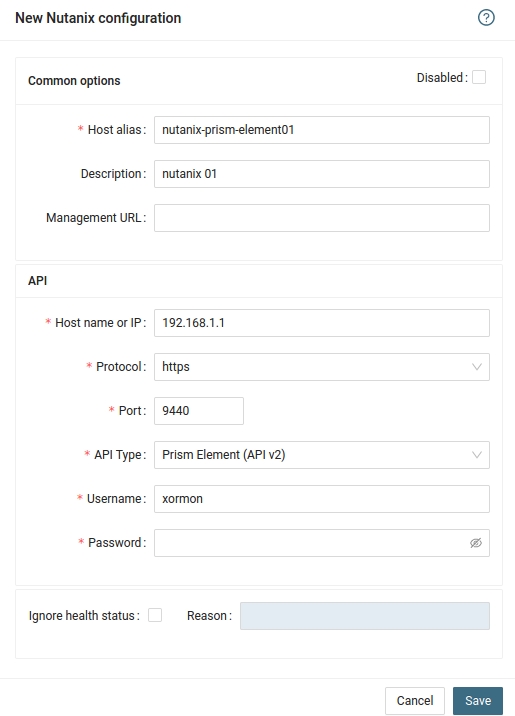
- Run "Test" for configured Prism Central/Element, it must show "OK"
-
Wait about 1 hour, then refresh the web browser cache by Ctrl-F5