Topologie Windows
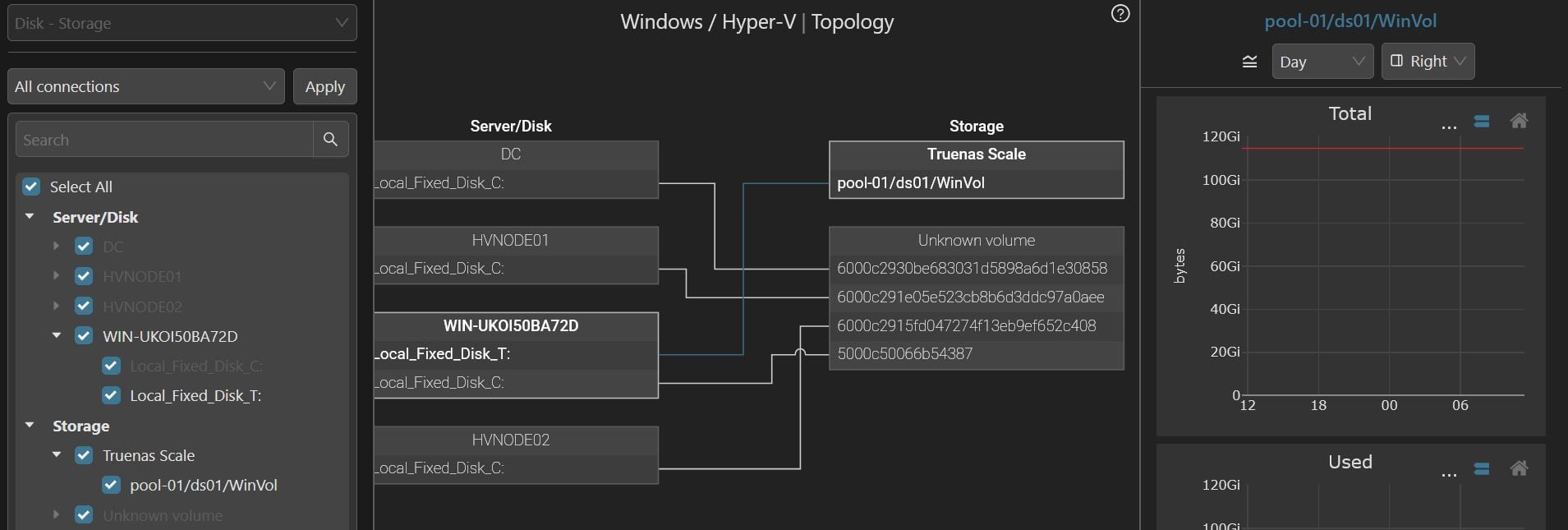
La topologie se trouve ici :
- Interface → Server → Windows → <tape name> → Topology
- Des lecteurs aux volumes de stockage
- Des ports FC Windows aux ports des switchs SAN
- Fibre Channel
- iSCSI
- Overview : vue d’ensemble des composants parents
- All connections : vue détaillée de toutes les connexions
- Custom : vue limitée aux composants sélectionnés
- Faites glisser pour déplacer la carte de topologie
- Faites défiler pour zoomer ou dézoomer
- Cliquez sur un composant parent pour mettre en évidence toutes les connexions qui en partent
- Cliquez sur une VM précise pour mettre en évidence son chemin
Vidéo
Exemples
 |
Dernière mise à jour :